

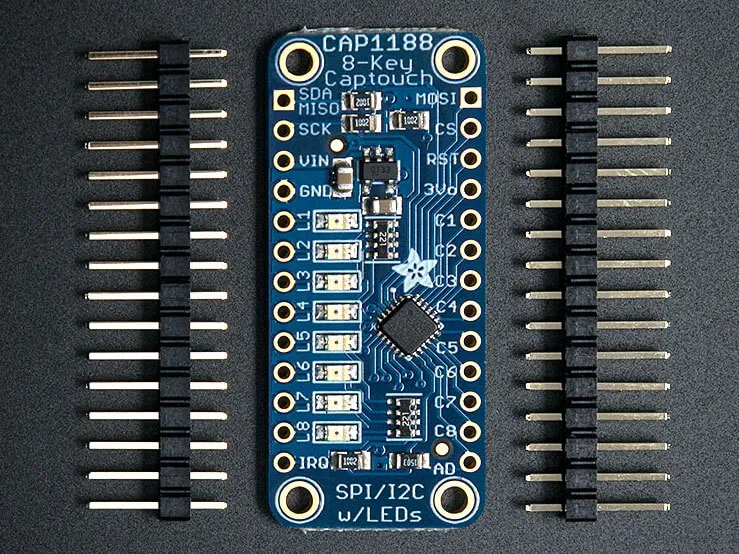
CAP1188 Capacitive Touch Sensor
Component/Hub
Section titled “Component/Hub”The cap1188 sensor platform allows you to use your CAP1188
(datasheet,
Adafruit) Capacitive Touch Sensor with ESPHome. The I²C bus is
required to be set up in your configuration for this sensor to work.
# Example configuration entrycap1188:  id: cap1188_component  address: 0x29  reset_pin: GPIOXX  touch_threshold: 0x40  allow_multiple_touches: true
binary_sensor:  - platform: cap1188    id: touch_key0    channel: 0    name: "Touch Key 0"
Configuration variables
Section titled “Configuration variables”The configuration is made up of two parts: The central component, and individual Binary sensors per channel.
-
address (Optional, int): The I²C address of the sensor. Defaults to
0x29. -
id (Optional, ID): Set the ID of this sensor.
-
reset_pin (Optional, Pin): Set the pin that is used to reset the CAP1188 board on boot.
-
touch_threshold (Optional, int): The touch threshold for all channels. This defines the sensitivity for touch detection.
0x01: Maximum sensitivity - Most sensitive to touch0x20: Default sensitivity0x40: Medium sensitivity (I used this sensitivity when being used through a 3mm sheet of plastic)0x80: Minimum sensitivity - Least sensitive to touch
-
allow_multiple_touches (Optional, boolean): Whether to allow multitouch. Defaults to off.
Binary Sensor
Section titled “Binary Sensor”The cap1188 binary sensor allows you to use your CAP1188 with ESPHome.
First, setup a Component/Hub and then use this binary sensor platform to create individual
binary sensors for each touch sensor.
Configuration variables:
- cap1188_id (Optional, ID): The ID of the CAP1188 defined above. Useful for multiple CAP1188’s on the I²C bus.
- channel (Required, int): The channel number the CAP1188 the touchkey is connected to.
- All other options from Binary Sensor.
NOTE
SPI is not currently supported. I²C must be used at this time.