

SSD1331 OLED Display
The ssd1331_spi display platform allows you to use
SSD1331 (datasheet,
Adafruit)
displays with ESPHome. This component is for displays that are connected via the 4-Wire SPI bus.
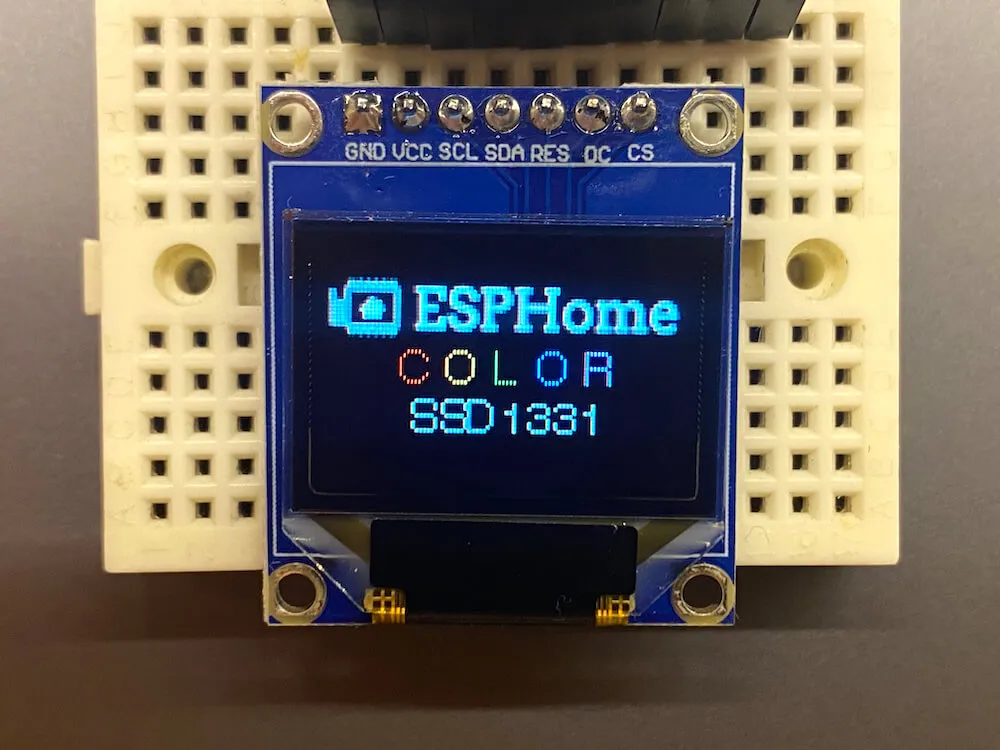
Connect CLK (CK), MOSI (SI), CS (OC), DC, and RST (R) to pins on your ESP. For power, the Adafruit modules
require 5 volts connected to their + pin. Connect the GND or G pin to ground.
# Example configuration entryspi:  clk_pin: D5  mosi_pin: D7
display:  - platform: ssd1331_spi    reset_pin: D0    cs_pin: D8    dc_pin: D1    lambda: |-      it.print(0, 0, id(font), "Hello World!");
Configuration variables
Section titled “Configuration variables”-
dc_pin (Required, Pin Schema): The DC pin.
-
reset_pin (Optional, Pin Schema): The RESET pin.
-
cs_pin (Optional, Pin Schema): The pin on the ESP that the CS line is connected to. The CS line can be connected to GND if this is the only device on the SPI bus.
-
lambda (Optional, lambda): The lambda to use for rendering the content on the display. See Display Rendering Engine for more information.
-
update_interval (Optional, Time): The interval to re-draw the screen. Defaults to
5s. -
pages (Optional, list): Show pages instead of a single lambda. See Display Pages.
-
id (Optional, ID): Manually specify the ID used for code generation.
Configuration examples
Section titled “Configuration examples”You may wish to add a color: section to your YAML configuration to make using colors easier; please see
color for more detail on this optional configuration section.
color:  - id: my_red    red: 100%    green: 3%    blue: 5%
...
display:    ...    lambda: |-      it.rectangle(0,  0, it.get_width(), it.get_height(), id(my_red));
To bring in color images:
image:  - file: "image.jpg"    id: my_image    resize: 96x64    type: RGB
...
display:    ...    lambda: |-      it.image(0, 0, id(my_image));