

Tuya Fan
The tuya fan platform creates a variable speed fan from a
tuya component.
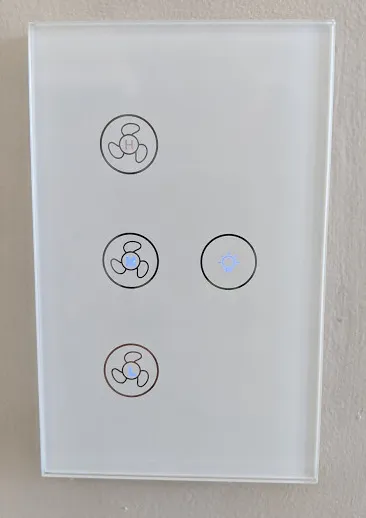
The Tuya fan requires a Tuya to be configured.
Here is an example output for a Tuya fan controller:
[12:39:45][C][tuya:023]: Tuya:[12:39:45][C][tuya:032]: Datapoint 1: switch (value: ON)[12:39:45][C][tuya:036]: Datapoint 3: enum (value: 1)[12:39:45][C][tuya:036]: Datapoint 6: enum (value: 0)[12:39:45][C][tuya:034]: Datapoint 7: int value (value: 0)[12:39:45][C][tuya:032]: Datapoint 9: switch (value: OFF)[12:39:45][C][tuya:046]: Product: '{"p":"hqq73kftvzh8c92u","v":"1.0.0","m":0}'On this controller, the data points are:
- 1 represents the fan on/off state.
- 3 represents the speed setting.
- 9 represents the additional light switch. (use the Tuya component to control this)
- 6 & 7 are unknown and don’t seem to affect the state.
Based on this, you can create the fan as follows:
# Create a fanfan: - platform: "tuya" name: "MyFan" switch_datapoint: 1 speed_datapoint: 3Configuration variables
Section titled “Configuration variables”-
speed_datapoint (Required, int): The datapoint id number of the fan speed.
-
switch_datapoint (Required, int): The datapoint id number of the fan switch.
-
oscillation_datapoint (Optional, int): The datapoint id number of the oscillation switch. Probably not supported on any Tuya controllers currently, but it’s there if need be.
-
direction_datapoint (Optional, int): The datapoint id number of the direction switch. Supported by some ceiling fans.
-
speed_count (Optional, int): Set the number of supported discrete speed levels. Defaults to
3. -
All other options from Fan.
NOTE
The MCU on the Tuya dimmer handles the LEDs and they dont seem to be controllable over the serial bus.