

TM1651 Battery Display
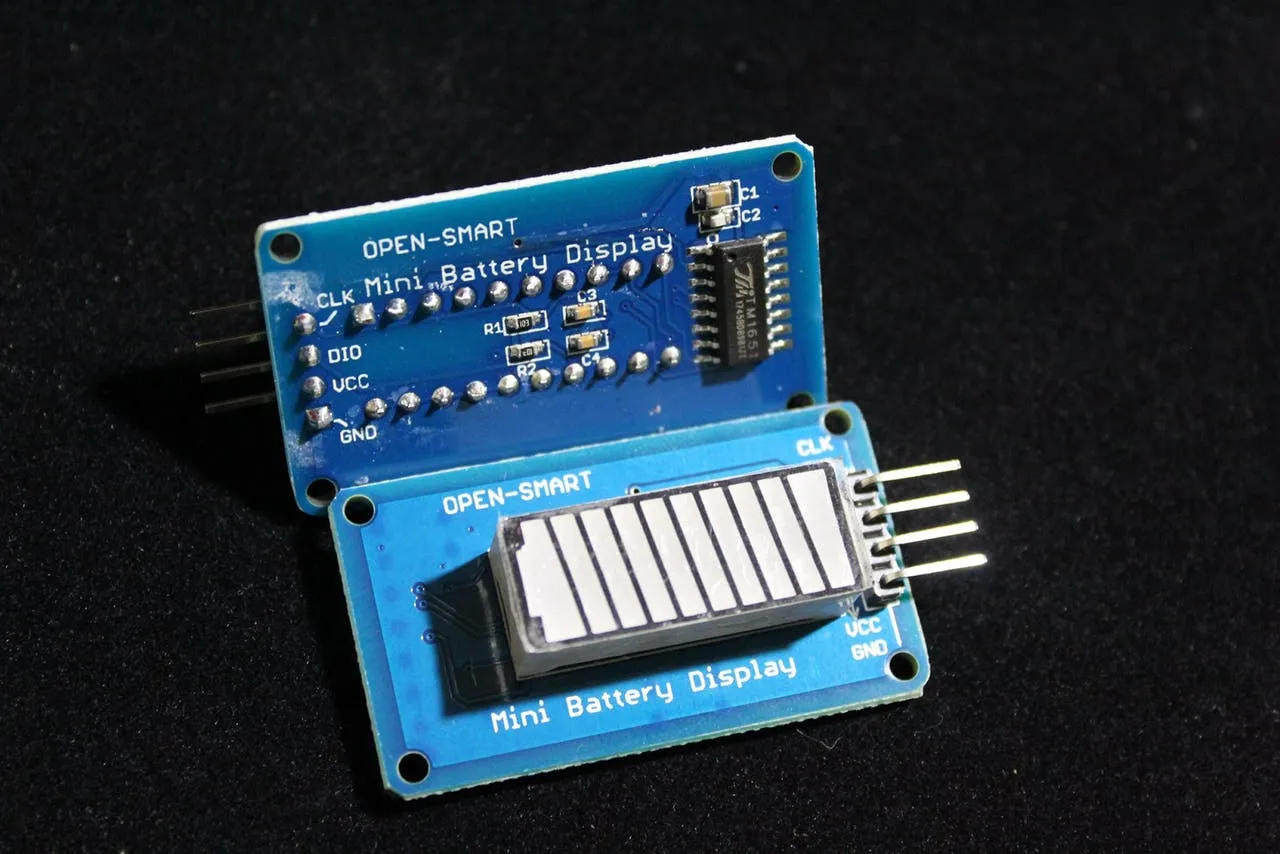
The tm1651 display platform allows you to use battery display units based on the TM1651 chip such as
this one with ESPHome. This component supports the level
and brightness settings. All updates can be made via lambda expressions.
tm1651: id: tm1651_battery clk_pin: GPIOXX dio_pin: GPIOXXConfiguration variables
Section titled “Configuration variables”- clk_pin (Required, Pin Schema): CLK pin
- dio_pin (Required, Pin Schema): DIO pin
- id (Optional, ID): Manually specify the ID used for code generation.
Actions
Section titled “Actions”tm1651.set_level_percent Action
Section titled “tm1651.set_level_percent Action”This Action changes the level of the battery display at runtime. Automatically calculates input level in percentages to actual level for the display.
on_...: - tm1651.set_level_percent: id: tm1651_battery level_percent: 50Configuration variables
Section titled “Configuration variables”- id (Required, ID): The ID of the TM1651.
- level_percent (Required, templatable, int): Level from 0 to 100
tm1651.set_level Action
Section titled “tm1651.set_level Action”This Action changes the level of the battery display at runtime.
on_...: - tm1651.set_level: id: tm1651_battery level: 5Configuration variables
Section titled “Configuration variables”- id (Required, ID): The ID of the TM1651.
- level (Required, templatable, int): Level from 0 to 7
tm1651.set_brightness Action
Section titled “tm1651.set_brightness Action”This Action allows you to manually change the brightness of the battery display at runtime.
on_...: - tm1651.set_brightness: id: tm1651_battery brightness: 1Configuration variables
Section titled “Configuration variables”- id (Required, ID): The ID of the TM1651.
- brightness (Required, templatable, int): There is three levels of brightness
(
1,2or3) from lowest to highest brightness.
tm1651.turn_off Action
Section titled “tm1651.turn_off Action”This Action turns off all the LEDs.
on_...: - tm1651.turn_off: id: tm1651_batteryConfiguration variables
Section titled “Configuration variables”- id (Required, ID): The ID of the TM1651.
tm1651.turn_on Action
Section titled “tm1651.turn_on Action”This Action turns on the LEDs.
on_...: - tm1651.turn_on: id: tm1651_batteryConfiguration variables
Section titled “Configuration variables”- id (Required, ID): The ID of the TM1651.
Advanced Configuration
Section titled “Advanced Configuration”You also can control this component with lambda expressions
api: actions: - action: battery_level variables: level: int then: - lambda: |- id(tm1651_battery).set_level(level); - action: battery_brightness variables: brightness: int then: - lambda: |- id(tm1651_battery).set_brightness(brightness);