

cst226 Touch Screen Controller
The cst226 touchscreen platform allows using the touch screen controllers based on the cst226 chip with ESPHome.
The I²C is required to be set up in your configuration for this touchscreen to work.
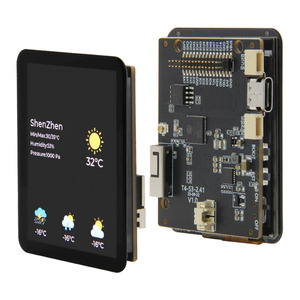
This controller is used in the Lilygo T4-S3 AMOLED Display.
Base Touchscreen Configuration
Section titled “Base Touchscreen Configuration”# Example configuration entrytouchscreen: platform: cst226 id: my_touchscreen interrupt_pin: GPIOXXConfiguration variables
Section titled “Configuration variables”-
id (Optional, ID): Manually set the ID of this touchscreen.
-
interrupt_pin (Optional, Pin Schema): The touch detection pin.
-
reset_pin (Optional, Pin Schema): The chip reset pin.
-
All other options from Touchscreen.
Binary Sensor
Section titled “Binary Sensor”In addition to touch areas on the screen configured through the Touchscreen component, the cst226 supports a button located outside of the normal touchscreen area. A binary sensor can be configured to react to touching this button.
# Example configuration entrybinary_sensor: - platform: cst226 name: "Home"Configuration variables
Section titled “Configuration variables”-
cst226_id (Optional, ID): Manually specify the ID of the touchscreen.
-
All other options from Binary Sensor.
Sample config for the T4-S3
Section titled “Sample config for the T4-S3”i2c: sda: GPIO6 scl: GPIO7
touchscreen: - platform: cst226 id: my_touchscreen interrupt_pin: GPIO8 reset_pin: GPIO17