

XPT2046 Touch Screen Controller (Updated version)
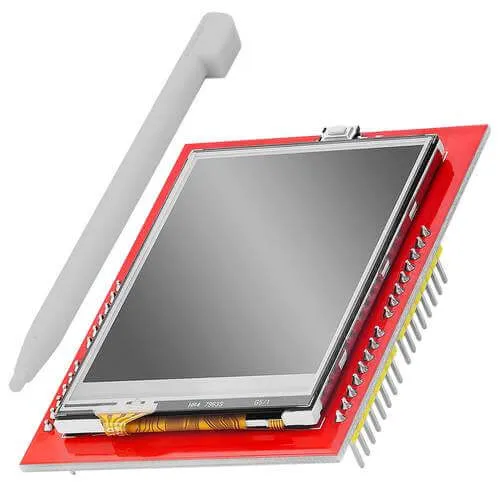
The xpt2046 touchscreen platform allows using the resistive touch screen controllers
based on the XPT2046 chip
(datasheet,
AZ-Delivery) with ESPHome. Many cheap LCD displays
contain this controller.
The SPI is required to be set up in your configuration for this sensor to work.
# Example configuration entrytouchscreen: platform: xpt2046 id: my_touchscreen cs_pin: GPIOXX interrupt_pin: GPIOXX update_interval: 50ms threshold: 400 transform: mirror_x: true calibration: x_min: 280 x_max: 3860 y_min: 340 y_max: 3860Configuration variables
Section titled “Configuration variables”The configuration is made up of two parts: The touch screen component, and optional individual binary sensors.
Base Configuration:
-
id (Optional, ID): Set the ID of this sensor.
-
cs_pin (Optional, Pin Schema): The chip select pin. Often marked
T_CSon the board. -
interrupt_pin (Optional, Pin Schema): The touch detection pin. Often marked
T_IRQon the board. If not specified the component will use polling via SPI. This key is renamed from irq_pin -
update_interval (Optional, Time): The interval to check the sensor. If
interrupt_pinis specified the touch will be detected nearly instantaneously and this setting will be used only for the release detection. Defaults to50ms. -
threshold (Optional, int): The value to detect the touch or release. Defaults to
400. -
calibration (Required): The XPT2046 is a resistive touch screen and it will require calibration on a per-device basis.
-
x_min (Required, int): The raw value corresponding to the left
(or top if
swap_xyis specified) edge of the touchscreen. See Calibration for the process to calibrate the touchscreen. -
x_max (Required, int): The raw value corresponding to the right
(or bottom if
swap_xyis specified) edge of the touchscreen. -
y_min (Required, int): The raw value corresponding to the top
(or left if
swap_xyis specified) edge of the touchscreen. -
y_max (Required, int): The raw value corresponding to the bottom
(or right if
swap_xyis specified) edge of the touchscreen.
-
-
All other options from Base Touchscreen Configuration.