

Valve Component
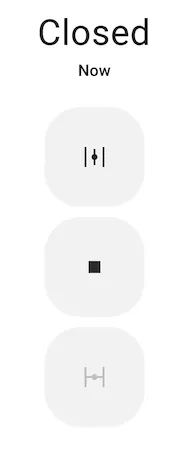
The valve component is a generic representation of valves in ESPHome. A valve can (currently) either be closed or
open and supports three commands: open, close and stop.
NOTE
To use a valve in Home Assistant requires Home Assistant 2024.5 or later.
Base Valve Configuration
Section titled “Base Valve Configuration”All valve config schemas inherit from this schema - you can set these keys for valves.
valve: - platform: ... device_class: waterConfiguration variables:
- id (Optional, string): Manually specify the ID for code generation. At least one of id and name must be specified.
- name (Optional, string): The name for the valve. At least one of id and name must be specified.
NOTE
If you have a friendly_name set for your device and you want the valve
to use that name, you can set name: None.
-
device_class (Optional, string): The device class for the sensor. See https://www.home-assistant.io/components/valve/ for a list of available options.
-
icon (Optional, icon): Manually set the icon to use for the valve in the frontend.
Advanced options:
-
internal (Optional, boolean): Mark this component as internal. Internal components will not be exposed to the frontend (like Home Assistant). Only specifying an
idwithout anamewill implicitly set this to true. -
disabled_by_default (Optional, boolean): If true, this entity should not be added to any client’s frontend, (usually Home Assistant) without the user manually enabling it (via the Home Assistant UI). Defaults to
false. -
entity_category (Optional, string): The category of the entity. See https://developers.home-assistant.io/docs/core/entity/#generic-properties for a list of available options. Set to
""to remove the default entity category. -
If Webserver enabled and version 3 is selected, All other options from Webserver Component.. See Webserver Version 3.
MQTT options:
- position_state_topic (Optional, string): The topic to publish valve position changes to.
- position_command_topic (Optional, string): The topic to receive valve position commands on.
- All other options from MQTT Component.
valve.open Action
Section titled “valve.open Action”This action opens the valve with the given ID when executed.
on_...: then: - valve.open: valve_1NOTE
This action can also be expressed in lambdas:
auto call = id(valve_1).make_call();call.set_command_open();call.perform();valve.close Action
Section titled “valve.close Action”This action closes the valve with the given ID when executed.
on_...: then: - valve.close: valve_1NOTE
This action can also be expressed in lambdas:
auto call = id(valve_1).make_call();call.set_command_close();call.perform();valve.stop Action
Section titled “valve.stop Action”This action stops the valve with the given ID when executed.
on_...: then: - valve.stop: valve_1NOTE
This action can also be expressed in lambdas:
auto call = id(valve_1).make_call();call.set_command_stop();call.perform();valve.toggle Action
Section titled “valve.toggle Action”This action toggles the valve with the given ID when executed, cycling through the states close/stop/open/stop… This allows the valve to be controlled by a single push button.
on_...: then: - valve.toggle: valve_1NOTE
This action can also be expressed in lambdas:
auto call = id(valve_1).make_call();call.set_command_toggle();call.perform();valve.control Action
Section titled “valve.control Action”This action is a more generic version of the other valve actions and allows all valve attributes to be set.
on_...: then: - valve.control: id: valve_1 position: 50%Configuration variables:
-
id (Required, ID): The valve to control.
-
stop (Optional, boolean): Whether to stop the valve.
-
state (Optional, string): The state to set the valve to - one of
OPENorCLOSE. -
position (Optional, float): The valve position to set.
0.0=0%=CLOSED1.0=100%=OPEN
NOTE
This action can also be expressed in lambdas:
auto call = id(valve_1).make_call();// set attributescall.set_position(0.5);call.perform();Lambdas
Section titled “Lambdas”From lambdas, you can access the current state of the valve (note that these fields are
read-only, if you want to act on the valve, use the make_call() method as shown above).
position: Retrieve the current position of the valve, as a value between0.0(closed) and1.0(open).
if (id(my_valve).position == VALVE_OPEN) { // Valve is open } else if (id(my_valve).position == VALVE_CLOSED) { // Valve is closed } else { // Valve is in-between open and closed }current_operation: The operation the valve is currently performing:
if (id(my_valve).current_operation == ValveOperation::VALVE_OPERATION_IDLE) { // Valve is idle } else if (id(my_valve).current_operation == ValveOperation::VALVE_OPERATION_OPENING) { // Valve is currently opening } else if (id(my_valve).current_operation == ValveOperation::VALVE_OPERATION_CLOSING) { // Valve is currently closing }valve.on_open Trigger
Section titled “valve.on_open Trigger”This trigger is activated each time the valve reaches a fully open state.
valve: - platform: template # or any other platform # ... on_open: - logger.log: "Valve is Open!"valve.on_closed Trigger
Section titled “valve.on_closed Trigger”This trigger is activated each time the valve reaches a fully closed state.
valve: - platform: template # or any other platform # ... on_closed: - logger.log: "Valve is Closed!"